Best PhraseExpress alternatives for Linux in 2026
No PhraseExpress for Linux? 6 alternatives compared: which run on Wayland, which import your PhraseExpress snippets and which only work in a browser.
Michael Grossklos6 min read
PhraseExpress has no Linux version. Instead, Espanso, AutoKey, Lightning Assist and tippkraft run on Linux as desktop apps, while Text Blaze and TextExpander work only as browser extensions. Which one fits depends on whether you need scripts, AI features or sync, and whether your PhraseExpress snippets should come along.
Disclosure: I build tippkraft, one of the tools on this list. It sits last, and every claim about the others comes from their own websites and docs, listed at the bottom. I have not tested the others myself.
The short answer
- You want free and open source, and you are fine with text files: Espanso.
- You want Python scripts that control windows and the mouse, on X11: AutoKey.
- You want AI commands, a team plan or apps for other systems too: Lightning Assist.
- You live in Chrome or Edge anyway: Text Blaze or TextExpander as a browser extension.
- You want a browser interface, sync, and your PhraseExpress snippets with their folders: tippkraft.
Comparison at a glance
| Tool | How it runs on Linux | Wayland | GUI | Price |
|---|---|---|---|---|
| Espanso | Desktop program, also Windows and macOS | Experimental according to its docs | YAML files, a GUI is planned | Free |
| AutoKey | Desktop program | Stable version X11 only, dev branch initial GNOME and KDE Plasma | Desktop program (GTK or Qt) | Free |
| Lightning Assist | Desktop app, per the vendor also Windows and macOS | Per the vendor yes | Desktop app | Free up to 20 snippets, Pro $5.99 per month |
| Text Blaze | Chrome or Edge extension, browser only | Not applicable, no desktop app | Browser | Free with limited snippets, Pro $2.99 per month (billed yearly) |
| TextExpander | Chrome extension, browser only | Not applicable, no Linux app | Browser | Free with 5 active snippets, Pro $60 per year |
| tippkraft | Desktop app, in every app | GNOME 46+, KDE Plasma 6, Niri, Sway, Hyprland (and X11) | Web app, also on your phone | Free (1 device, 25 snippets), Pro $2.99 per month |
Espanso
Espanso is free, fully open source (GPL-3.0) and runs on Windows, macOS and Linux. You write your snippets as YAML files in a text editor. According to its website, a GUI is planned. It can run shell commands and scripts in snippets, and you can install ready-made packages from the Espanso Hub.
On Wayland, its docs call the support experimental. Wayland needs its own package or build, and you set non-US keyboard layouts in the config yourself. Version 2.4.0 from July 2026 improved Wayland a lot, including app-specific settings on wlroots compositors such as Sway and Hyprland. Espanso has no built-in sync; you sync the config folder yourself via cloud storage or GitHub.
Choose Espanso if you want no limits and full control, like plain text files you can version in Git, or need shell commands in your snippets. If Wayland is where you run into trouble, see Espanso not working on Wayland.
AutoKey
AutoKey is free, has no account and no limits on devices or snippets, and is fully open source (GPL-3.0). Besides phrases, it runs Python scripts that send keys, control the mouse, operate windows and launch programs. That makes it more of an automation tool than the others here.
The catch is Wayland. The stable version 0.96.0 is an X11 application according to its README. The development branch (0.97.0-beta.0, installed from Git) has initial support for GNOME and KDE Plasma and rejects other desktops. Details in AutoKey on Wayland. There is no built-in sync; you copy the files yourself.
Choose AutoKey if you work on X11 and want scripting without paying anything.
Lightning Assist
Lightning Assist is proprietary. According to the vendor, it runs on Linux with X11 and Wayland, has desktop apps for Windows and macOS too, and syncs through the cloud while expansion also works offline. It names GNOME, KDE Plasma and wlroots compositors, and does not name Niri or Hyprland explicitly. I have not tested it.
The vendor lists AI commands (rewrite, translate, summarize), push-to-talk dictation billed through credits, and imports from TextExpander, Espanso, Text Blaze and any CSV file. The free plan includes one team with up to five members. Pricing: free up to 20 snippets, then Pro at $5.99 per month after a 14-day trial.
Choose Lightning Assist if you want AI features, a desktop app on several systems or an import from Espanso or Text Blaze.
Text Blaze
On Linux, Text Blaze works only in the browser. The vendor offers an extension for Chrome and Edge and desktop apps for Windows and macOS, but no Linux app. Its FAQ lists other platforms as planned, without a date. In the terminal, your mail client or LibreOffice, nothing expands.
Within the browser it is strong: forms with many fields, a formula language for calculations, AI help for creating snippets and team features such as roles and usage analytics. Free with limited snippets; Pro is $2.99 per month, billed yearly.
Choose Text Blaze if you mostly work in Chrome or Edge and need forms and formulas.
TextExpander
TextExpander has no Linux app. For Linux, the vendor points to its Chrome extension, which expands snippets only inside the browser. Its pricing page lists Mac, Windows, Chrome, iPhone, iPad and Android (beta). The free plan has 5 active snippets; Pro costs $60 per user per year, billed annually.
Choose TextExpander if you also use a Mac or phone, or need its team features. On Linux, it only makes sense if you work almost entirely in the browser.
tippkraft
tippkraft is a text expander built for Wayland. It reads the keyboard through Linux input devices and types through a virtual input device, so it expands in every app, not just the browser. Supported on Wayland: GNOME 46+, KDE Plasma 6, Niri, Sway and Hyprland. X11 also works, and setup on tiling compositors is covered in a text expander on Hyprland, Niri and Sway in 5 minutes. You manage snippets in a web app, also on your phone, and they sync between devices. The desktop app is open source (MIT); the server is not.
It covers prompts, choices, dates, variables, conditions, random text, clipboard, cursor, keys and nested snippets. It has no scripting, no calculations and no AI features. tippkraft is young and still in beta. It is free during the beta; after that there is a free version with one device and 25 snippets, and Pro costs $2.99 per month.
Choose tippkraft if you want to bring your PhraseExpress snippets with you, want a browser interface and sync, and get by without scripts.
How to move your PhraseExpress snippets
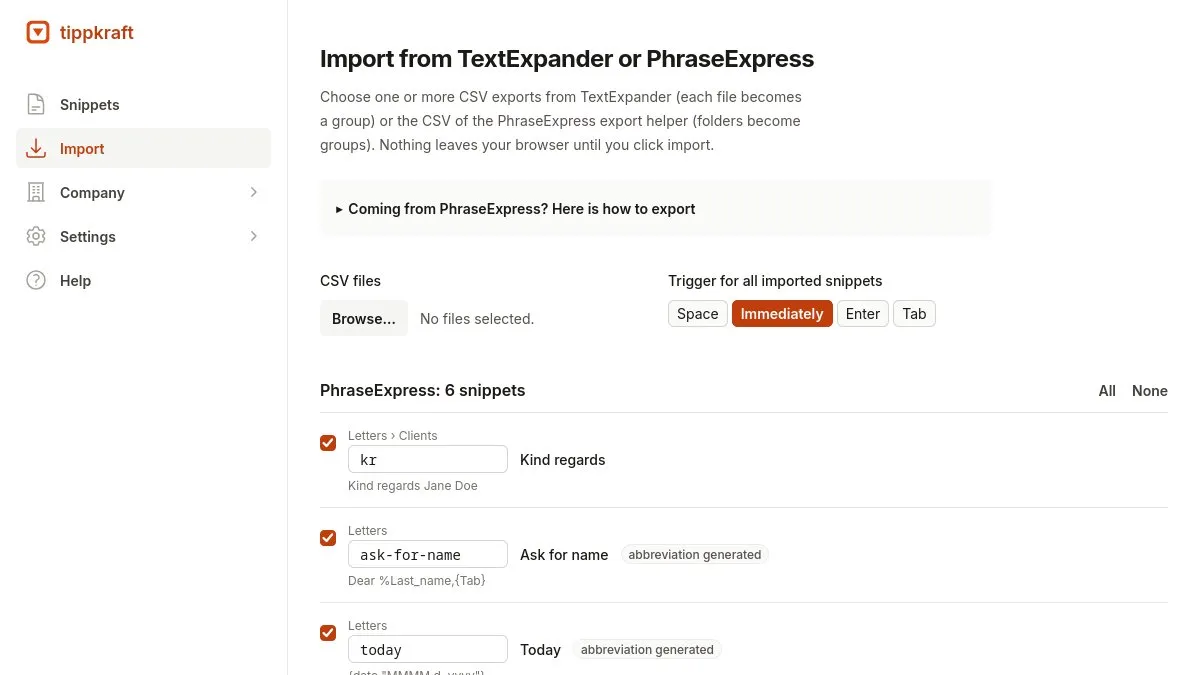
tippkraft imports from PhraseExpress. You run an export helper on Windows (beta). It reads your snippets with their folders, and a preview in the web app shows which macros were translated. Macros tippkraft does not know, such as calculations or launching programs, stay as plain text and arrive switched off.
Details, and where PhraseExpress is the better tool, are in tippkraft vs. PhraseExpress. The free plan and Pro are on the tippkraft home page.
Sources
- PhraseExpress: Alternative, retrieved 9 November 2026
- PhraseExpress: shop and licenses, retrieved 9 November 2026
- CodeWeavers: PhraseExpress in the CrossOver database, retrieved 9 November 2026
- Espanso: website, retrieved 9 November 2026
- Espanso: installing on Linux (Wayland), retrieved 9 November 2026
- Espanso: getting started (configuration), retrieved 9 November 2026
- Espanso: synchronization, retrieved 9 November 2026
- Espanso on GitHub, retrieved 9 November 2026
- Espanso: releases on GitHub, retrieved 9 November 2026
- AutoKey on GitHub (README), retrieved 9 November 2026
- AutoKey: changelog in the development branch (0.97.0-beta.0, Wayland), retrieved 9 November 2026
- AutoKey: Wayland desktop check in the development branch, retrieved 9 November 2026
- AutoKey documentation: introduction (phrases, scripts, hotkeys, files), retrieved 9 November 2026
- AutoKey: license (GPL-3.0), retrieved 9 November 2026
- Lightning Assist: Text Expander for Linux, retrieved 9 November 2026
- Lightning Assist: Compatibility, retrieved 9 November 2026
- Lightning Assist: Pricing, retrieved 9 November 2026
- Lightning Assist: Import your snippets, retrieved 9 November 2026
- Lightning Assist: Features, retrieved 9 November 2026
- Text Blaze: FAQ (browsers, desktop apps, other platforms), retrieved 9 November 2026
- Text Blaze: plans and pricing, retrieved 9 November 2026
- Text Blaze: documentation, retrieved 9 November 2026
- Text Blaze: teams and organizations, retrieved 9 November 2026
- Text Blaze: AI Blaze, retrieved 9 November 2026
- TextExpander: Pricing, retrieved 9 November 2026
- TextExpander Learning Center: Installing TextExpander, retrieved 9 November 2026
- tippkraft desktop app on GitHub, retrieved 9 November 2026
How this was written: research and draft with AI assistance, facts checked and edited by Michael Grossklos.
Share
More articles
AutoKey on Wayland: does it work in 2026?
Mostly no: AutoKey 0.96.0 is X11-only per its README. The 0.97.0 beta from Git supports Wayland on GNOME and KDE Plasma, but not on Niri, Sway or Hyprland.
Espanso not working on Wayland? Causes and fixes
Espanso not expanding on Wayland? It is almost always the package, setcap, the keyboard layout, app configs or a new keyboard. Here is how to fix each.
A text expander on Hyprland, Niri and Sway in 5 minutes
With tippkraft it takes four steps: add your user to the input group, install, let setup add the shortcuts, then save your first snippet in the web app.