A text expander on Hyprland, Niri and Sway in 5 minutes
With tippkraft it takes four steps: add your user to the input group, install, let setup add the shortcuts, then save your first snippet in the web app.
Michael Grossklos3 min read
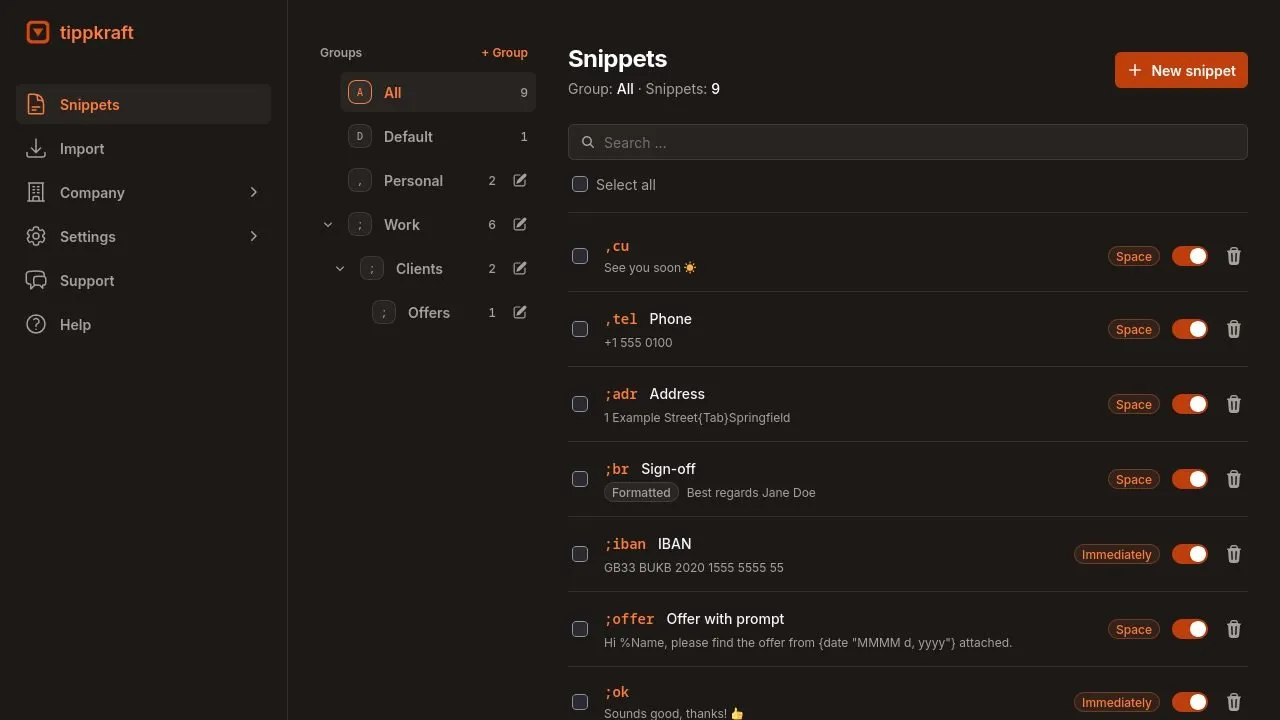
With tippkraft you get a text expander on Hyprland, Niri and Sway in four steps: add your user to the input group, install, let setup add the shortcuts, then save your first snippet in the web app. Most other text expanders either don’t start on these compositors or need manual work. Disclosure: I build tippkraft. If you prefer a fully open source tool with YAML configs, see Espanso on Wayland instead.
Why it’s harder on these compositors
A text expander has to see what you type in every app and then type text into the focused window. Wayland deliberately lets no app see other apps’ input. So an expander has to read the keyboard below Wayland, through the kernel’s input devices, and type through a protocol the compositor offers. Hyprland, Niri and Sway support the virtual-keyboard protocol for this. tippkraft uses it and reads your layout from the session, so umlauts, accents and emoji come out right.
1. Permissions (one time)
tippkraft reads keyboards through /dev/input, so your user needs to be in the input group:
sudo usermod -aG input "$USER"Log out and back in. The installer checks whether /dev/uinput is writable for the group and prints the udev rule if it isn’t. It never runs sudo itself.
2. Install
curl -fsSL https://tippkraft.com/install.sh | shThe script downloads the release from GitHub, checks the SHA-256 checksum and runs tippkraft setup. Setup copies the binary to ~/.local/bin, adds a systemd user service and opens the browser to connect your account. You can read the script first. On Arch, tippkraft is also in the AUR: yay -S tippkraft-bin, then run tippkraft setup once.
3. Keyboard shortcuts
Setup asks once whether to add two shortcuts:
Mod+Alt+Tpauses and resumes tippkraft.Mod+Alt+Spaceshows all snippets with a search field.
It writes them into a separate file and includes it from your config:
| Compositor | File | Line added to your config |
|---|---|---|
| Hyprland | ~/.config/hypr/tippkraft-tasten.conf |
source = ~/.config/hypr/tippkraft-tasten.conf |
| Sway | ~/.config/sway/tippkraft-tasten.conf |
include ~/.config/sway/tippkraft-tasten.conf |
| Niri | ~/.config/niri/tippkraft-tasten.kdl |
include "tippkraft-tasten.kdl" |
It never overwrites a combination you already use. If you said no, tippkraft setup --shortcuts asks again.
4. The first snippet
Open the web app, create a snippet with the abbreviation ;mail and your email address as content, and save. A second later it’s on your machine. Type ;mail and a space in any window, a terminal included.
When something doesn’t work
tippkraft statusshows whether the service runs, which server it’s connected to and whether an update is available.- Left Ctrl + left Alt + Backspace is an emergency stop.
- Password managers and other apps on your exclusion list never trigger snippets. On Hyprland, Niri and Sway tippkraft knows the focused window, so the list works there.
What the client reads, stores and sends is documented in its SECURITY.md. tippkraft is free for one device and 25 snippets, and all plans are listed under pricing on the home page. Why it costs money beyond that is explained in why tippkraft isn’t entirely free.
How this was written: research and draft with AI assistance, facts checked and edited by Michael Grossklos.
Share
More articles
AutoKey on Wayland: does it work in 2026?
Mostly no: AutoKey 0.96.0 is X11-only per its README. The 0.97.0 beta from Git supports Wayland on GNOME and KDE Plasma, but not on Niri, Sway or Hyprland.
Best PhraseExpress alternatives for Linux in 2026
No PhraseExpress for Linux? 6 alternatives compared: which run on Wayland, which import your PhraseExpress snippets and which only work in a browser.
Espanso not working on Wayland? Causes and fixes
Espanso not expanding on Wayland? It is almost always the package, setcap, the keyboard layout, app configs or a new keyboard. Here is how to fix each.