Why tippkraft isn’t entirely free (and what stays free)
Pro costs money because servers, the web app and keeping up with new Linux desktops cost money every month. The open source desktop app and the free plan stay.
Michael Grossklos15 min read
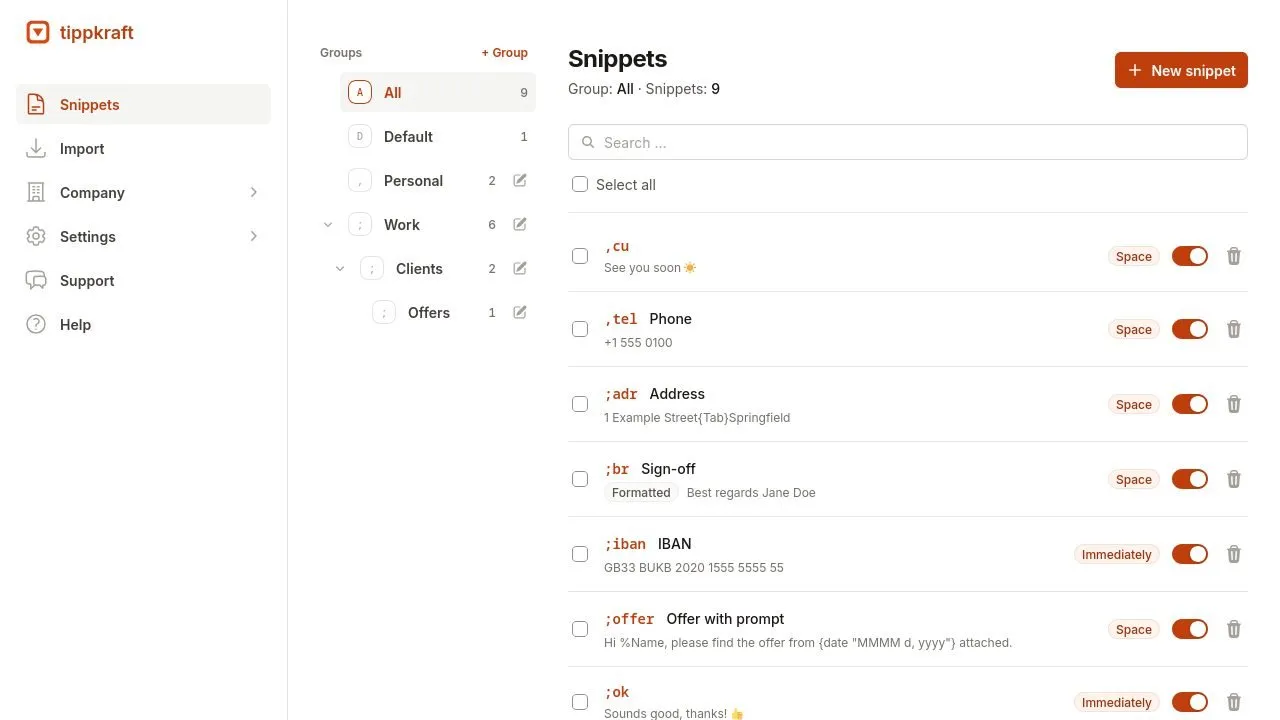
tippkraft Pro costs money because behind the desktop app there is a service that costs money every month: servers for sync and backups, the web app, email delivery, payment processing and, above all, the time it takes to keep up with new versions of GNOME, KDE and the Wayland compositors. What stays free is the desktop app, which is open source under the MIT license, and a permanent free plan with one device and 25 snippets.
On Linux, you rarely pay for software. The kernel, your desktop, the browser, the office suite, the image editor: one command and they are installed, no invoice attached. Plenty of people moved to Linux for exactly that reason, away from subscriptions and license keys. A pricing page for a text expander can feel out of place there.
Below is the math in enough detail that you can decide for yourself whether it works for you. We will also get to the harder follow-up question: if it costs money “because of the servers”, why not offer a free version you can run on your own server?
Free as in freedom, not as in free beer
Let’s start with the idea behind the Linux world. The GNU Project, without which most Linux systems would not exist in their current form, describes free software as “a matter of liberty, not price”. You should think of “free” as in “free speech,” not as in “free beer.”
What matters are four freedoms: to run the program for any purpose, to study how it works, to share it and to change it. Price isn’t part of the definition. In fact, the GNU Project says it encourages people who redistribute free software to charge as much as they wish or can, and calls the belief that free software should be gratis a misunderstanding.
So why is almost everything on Linux free of charge anyway? Because someone else pays. A lot of the work is funded by companies that run Linux themselves or sell services around it. Some is funded by foundations, donations and grants. And a great deal of it is done by people in their spare time, without being paid at all.
That last part deserves more than a shrug. More on it below.
What’s free and open about tippkraft
Before we talk about costs, here is what doesn’t cost anything:
- The desktop app is open source. It is MIT-licensed and on GitHub. That’s the part running on your machine, reading the keyboard and typing your snippets. For a program that sees every key you press, this matters: you can check what it does and what it doesn’t.
- There’s a free plan, and it stays. One device, 25 snippets, up to 2,500 characters each. It includes everything except formatted text: prompts, choices, dates with offsets, variables, conditions, random values, clipboard, cursor position, keys like Tab and Enter, and snippets inside snippets.
- Everything is free during the beta.
- No ads, no selling data. Not in the free plan, not anywhere.
- Your data is yours. In Settings, you can export everything as a JSON file at any time.
What isn’t open: the server, meaning the service that syncs your snippets between devices and runs the web app. There is no self-hosted version at the moment. We explain why in detail further down.
What the service costs to run
A program you download once and that just keeps working has fairly low running costs once it’s written. tippkraft is more than that. There’s a service behind the desktop app, and a service costs money every month, whether or not anyone is working on new features.
We won’t list dollar amounts here. They change with the number of users and would be out of date quickly. But the items themselves are easy to describe.
Servers, sync and backups
Your snippets are stored locally on your machine, which is why they work offline. They are also stored on our server. That’s where they get synced to your other devices, and where they’re backed up in case your laptop dies.
That means renting servers, running a database, making backups and regularly checking that they can actually be restored. Keeping the operating system and software on the server up to date. Monitoring whether everything works and fixing it when it doesn’t. None of this is a one-time job.
The web app
You manage your snippets in a web app, in the browser, on your phone too. It’s a full application of its own, with an editor, folders, imports from TextExpander and PhraseExpress, and account management. It has to work in all common browsers and on screens of every size, and it has to be secure, because that’s where you sign in.
Email and payments
Confirmation emails, password resets, invoices: for email to arrive reliably and stay out of spam folders, you need a sending service. If you buy Pro, the payment goes through a payment provider, which takes a fee on every transaction.
Linux keeps moving, and tippkraft has to keep up
This is the cost that’s easiest to underestimate from the outside. A text expander on Linux has to do two things the system doesn’t really like to allow: see what you type, and type text itself. On X11 that used to be fairly simple. On Wayland, for good security reasons, it’s much harder.
So tippkraft reads the keyboard directly through Linux input devices (evdev) and types through a virtual input device (uinput). Characters your keyboard layout doesn’t have, such as emoji, are briefly pasted through the clipboard on KDE and X11. Right now tippkraft supports GNOME 46 and later, KDE Plasma 6, Niri, Sway and Hyprland on Wayland, plus Linux Mint with Cinnamon, Xfce, MATE and other X11 sessions.
Each of these environments has its quirks, and each ships new versions on its own schedule. A GNOME update or a new compositor can change something tippkraft relies on. Then someone has to look into it, reproduce it, fix it, test it and ship a new release. Some things don’t work yet either: on GNOME, for example, the list of excluded apps has no effect so far. Working on all of this takes time, and time is the biggest cost of all. How much manual work Wayland asks of other tools shows in Espanso not working on Wayland? Causes and fixes and AutoKey on Wayland: does it work in 2026?.
Support
When something doesn’t work, you write to us. With a program that reaches this deep into the system, problems often depend on the exact combination of distribution, desktop, keyboard layout and the app you’re typing in. Answering those questions takes time, and it’s work that has to happen if tippkraft is going to be dependable every day.
How other projects handle this
tippkraft isn’t the only one facing this question. Any project that’s more than a download has to figure out how to pay for ongoing work. Here are a few examples you might know. We’re not grading them. They’re here because they show how different the answers can be.
Donations: Espanso
Espanso is an open source text expander under the GPL-3.0 that also runs on Linux. It relies on donations; the README asks readers to consider a small one. It has no sync service of its own. Instead, the documentation suggests moving your config folder into a cloud-synced folder like Dropbox or Google Drive, or a Git repository, and linking it back with a symlink.
That’s a coherent model. No server means no server costs, and if you want sync, you use a service you already have. The trade-off is that you set it up and look after it yourself, and there’s no web app to edit snippets from your phone.
Free app, paid sync: Obsidian
The note-taking app Obsidian is free for personal use, no sign-up needed. What you pay for are add-on services, mainly Obsidian Sync: syncing across devices with end-to-end encryption and version history. According to the pricing page, it costs $4 per month when billed annually. If you don’t need sync, or handle it some other way, you pay nothing.
That’s quite close to how tippkraft works. What runs on your machine is one thing. The service that distributes and backs up your data is another, and that’s what costs money.
Generous free tier, pay for more: Bitwarden
The password manager Bitwarden has a free plan with unlimited passwords and devices. Premium costs $19.80 per year according to its pricing page. Bitwarden can also be self-hosted, including for personal use. The Linux installation guide shows what that involves: a server with at least 2 GB of RAM, Docker, your own domain, open ports, a TLS certificate and an installation ID. Backups and updates are then up to you.
There’s also Vaultwarden, an unofficial Bitwarden-compatible server developed independently by its community.
Open source to run yourself, revenue from businesses: Nextcloud
Nextcloud is probably the best-known example of software built from the ground up to be self-hosted. The server is licensed under the AGPL-3.0. The company behind it earns money through Enterprise subscriptions: support straight from the engineers, early security patches and help with scaling large installations.
That works because Nextcloud is built for organizations that want to run their own servers and are willing to pay for reliability. Self-hosting is the product.
Open client, closed server: Tailscale
The closest match to tippkraft’s setup is probably Tailscale. The client, the software on your devices, is open source. The coordination server that helps your devices find each other is not; Tailscale says its hosted coordination server remains proprietary as part of its managed service. The free Personal plan is generous: up to six users and unlimited devices.
If you want to run the server yourself anyway, there’s Headscale, an independently developed open source implementation of the coordination server. Tailscale says it doesn’t set Headscale’s direction, though it employs its lead maintainer.
What these examples have in common
None of these models is “the right one.” Donations fit a project with no servers to run. Paid sync fits an app that’s fully useful without it. Self-hosting as a product fits software for organizations with their own IT staff. What they all share: someone pays for the ongoing work. If it isn’t the users, it’s companies, foundations, or the developers’ free time.
Unpaid spare time is not a business model
Tidelift, a company that sells services around open source, regularly surveys people who maintain open source projects. In its 2023 report, 60% described themselves as unpaid hobbyists. Almost 60% had quit or considered quitting one of their projects. And 77% of those who weren’t paid said they would prefer to be. Keep in mind that Tidelift has a commercial interest in this topic, but the direction of the numbers matches what many people see in projects they know.
What this can look like in practice is shown by XZ Utils, a compression library found in a huge number of Linux systems. In June 2022, its maintainer Lasse Collin wrote on the mailing list that it was an unpaid hobby project and that his ability to care had been fairly limited, mostly due to long-term mental health issues. Less than two years later, it came out that versions 5.6.0 and 5.6.1 contained a backdoor, planted by a contributor who by then had access to the project and had published the affected releases.
This isn’t a criticism of Lasse Collin, and it isn’t an argument against open source. It just shows that software many people depend on needs someone who has time for it, long term. For tippkraft, we want that time to be paid from the start.
Why there’s no self-hosted version
Now for the real question. The argument goes like this: “You say the servers cost money. Fine, then let me run my own. You don’t have the cost, and I don’t pay.”
That sounds reasonable. It’s only partly true, though, and here is why we still don’t offer it.
Self-hosting isn’t free for us
A self-hosted version isn’t a switch we can flip. It’s a second product. Today our server runs in exactly one environment that we know and control. A version for you to run would have to work in many environments we don’t know: different distributions, with or without Docker, different database versions, reverse proxies like nginx, Caddy or Traefik, home servers behind a router, company networks with their own rules.
All of that would need:
- Installation and documentation that work across those setups and stay current.
- Updates and migrations that run cleanly even if someone skipped three versions.
- Compatibility in both directions. The desktop app would have to handle older server versions, because not everyone updates their server on the same day. Every new feature would have to be checked against that.
- Security updates that actually reach the people running the servers. With snippets, this isn’t a minor point. Many people keep addresses, customer details, templates for confidential emails or access information in them. A forgotten, unpatched server holding that kind of data is a real risk, and it would still have tippkraft’s name on it.
- Support. When sync breaks, the question is no longer just “which distribution, which desktop?” but also “which server, which proxy, which certificates, which firewall?”
A large company with a dedicated team for server products can handle that. tippkraft is a small team. Every hour spent on a self-hosted edition is an hour taken away from the desktop app. And the desktop app is where Linux really gets difficult: Wayland, the many compositors, keyboard layouts, apps that behave oddly when text is inserted. That’s where we want to get better, not at making our server run on a Raspberry Pi with an unusual database version.
And yes, money is part of it
Talking only about effort wouldn’t be honest. If there were a full, free self-hosted version, many people who might otherwise buy Pro would use it instead. Especially Linux users, who often have a home server and enjoy running things themselves. That would be completely fair of them, but it would take away exactly the money that pays for work on the desktop app.
Projects like Nextcloud show that self-hosting and a sustainable business can go together. There, though, the customers are organizations paying for support and reliability. A text expander for individuals doesn’t come with that kind of willingness to pay for support. For us, the math works out differently.
What this means for you
No self-hosting doesn’t mean you’re locked in:
- Your snippets are also stored locally. They work offline, even if the server is unreachable.
- You can export everything at any time. In Settings, as a JSON file with all your data. It’s an open, readable format you can process further or use elsewhere.
- The desktop app is open. You can read exactly what it does with your keystrokes. And because it’s MIT-licensed, anyone may use, change and share the code.
We can’t promise or rule out a self-hosted edition at some point in the future. For now, the answer is no, and these are the reasons.
Where the money goes
In short: it pays for the items above. Servers, backups, email delivery, payment processing. And above all, working time: keeping up with new versions of GNOME, KDE and the Wayland compositors, building new features in the web app, answering support requests.
What it doesn’t have to make up for, because tippkraft doesn’t use these sources: we don’t show ads and we don’t sell data. Those are the two ways “free” services usually make their money. With tippkraft, you’re either a free user or a customer, but never the product.
For reference, the prices: Pro costs $2.99 per month and gives you three devices, 500 snippets and formatted text. If you join during the beta, you get Pro at half price for the first year. For companies there’s Business, with shared snippets and teams, at $19 per month plus tax, five users included.
When the free plan is enough
Honestly: quite often. The free plan isn’t a stripped-down trial that pushes you to pay after two weeks. It stays.
It’s probably enough if:
- you use tippkraft on one machine, say only on your work laptop or only on your desktop at home,
- 25 snippets cover what you need: your email signature, your address, a few standard replies, frequent terminal commands and the like,
- plain text is fine and you don’t need formatting like bold, links or bullet lists.
Placeholders, prompts, choices, dates, conditions and snippets inside snippets are all part of the free plan.
Pro makes sense if you have several machines that should share the same snippets, if your collection grows, or if you want to paste formatted text into email and office apps. Business is meant for teams that share snippets.
Bottom line
Linux taught you that good software doesn’t have to cost money. That’s true, and tippkraft keeps it that way wherever it can: the desktop app is open source, the free plan stays, and you can take your data with you at any time.
What costs money is the service: the servers that sync and back up your snippets, the web app, and the ongoing work to keep tippkraft running with every new release of your desktop. A self-hosted version wouldn’t make those costs disappear. It would shift them, partly to you and mostly to us, as a second product we’d have to maintain.
So we picked one path: a well-maintained service, an open desktop app, and a small fee from those who need more. If that works for you, we’d be glad to have you. If it doesn’t, that’s fine too, and tools like Espanso are a good choice if you’d rather run everything yourself. For an overview, see PhraseExpress alternatives for Linux.
Sources
- GNU Project: What is Free Software?, retrieved 9 November 2026
- GNU Project: Selling Free Software, retrieved 9 November 2026
- Tidelift: The 2023 Tidelift State of the Open Source Maintainer Report, retrieved 9 November 2026
- Lasse Collin on the xz-devel mailing list, June 8, 2022, retrieved 9 November 2026
- Tukaani: XZ Utils backdoor, retrieved 9 November 2026
- Espanso on GitHub (license, donations), retrieved 9 November 2026
- Espanso docs: Sync, retrieved 9 November 2026
- Bitwarden: Pricing, retrieved 9 November 2026
- Bitwarden Help: Self-host Bitwarden, retrieved 9 November 2026
- Bitwarden Help: Linux Standard Deployment, retrieved 9 November 2026
- Vaultwarden on GitHub, retrieved 9 November 2026
- Nextcloud Server on GitHub (AGPL-3.0), retrieved 9 November 2026
- Nextcloud Enterprise, retrieved 9 November 2026
- Obsidian: Pricing, retrieved 9 November 2026
- Tailscale: Open source, retrieved 9 November 2026
- Tailscale: Pricing, retrieved 9 November 2026
- Headscale on GitHub, retrieved 9 November 2026
- tippkraft-desktop on GitHub (MIT license), retrieved 9 November 2026
How this was written: research and draft with AI assistance, facts checked and edited by Michael Grossklos.
Share
More articles
AutoKey on Wayland: does it work in 2026?
Mostly no: AutoKey 0.96.0 is X11-only per its README. The 0.97.0 beta from Git supports Wayland on GNOME and KDE Plasma, but not on Niri, Sway or Hyprland.
Best PhraseExpress alternatives for Linux in 2026
No PhraseExpress for Linux? 6 alternatives compared: which run on Wayland, which import your PhraseExpress snippets and which only work in a browser.
Espanso not working on Wayland? Causes and fixes
Espanso not expanding on Wayland? It is almost always the package, setcap, the keyboard layout, app configs or a new keyboard. Here is how to fix each.